See when cash might arrive
Record unpaid invoice balances, partial receipts and expected payment timing, with probability overrides for your planning assumptions.
09 / PLAN AROUND PAYMENT TIMING
Money in the bank does not tell you what is available to take out. Bring unpaid invoices, expected payment timing and upcoming bills into a practical cash-planning system before deciding on your next owner draw.
US$14.95 on Etsy
See the current price and purchase on Etsy. Digital files; software is not included.
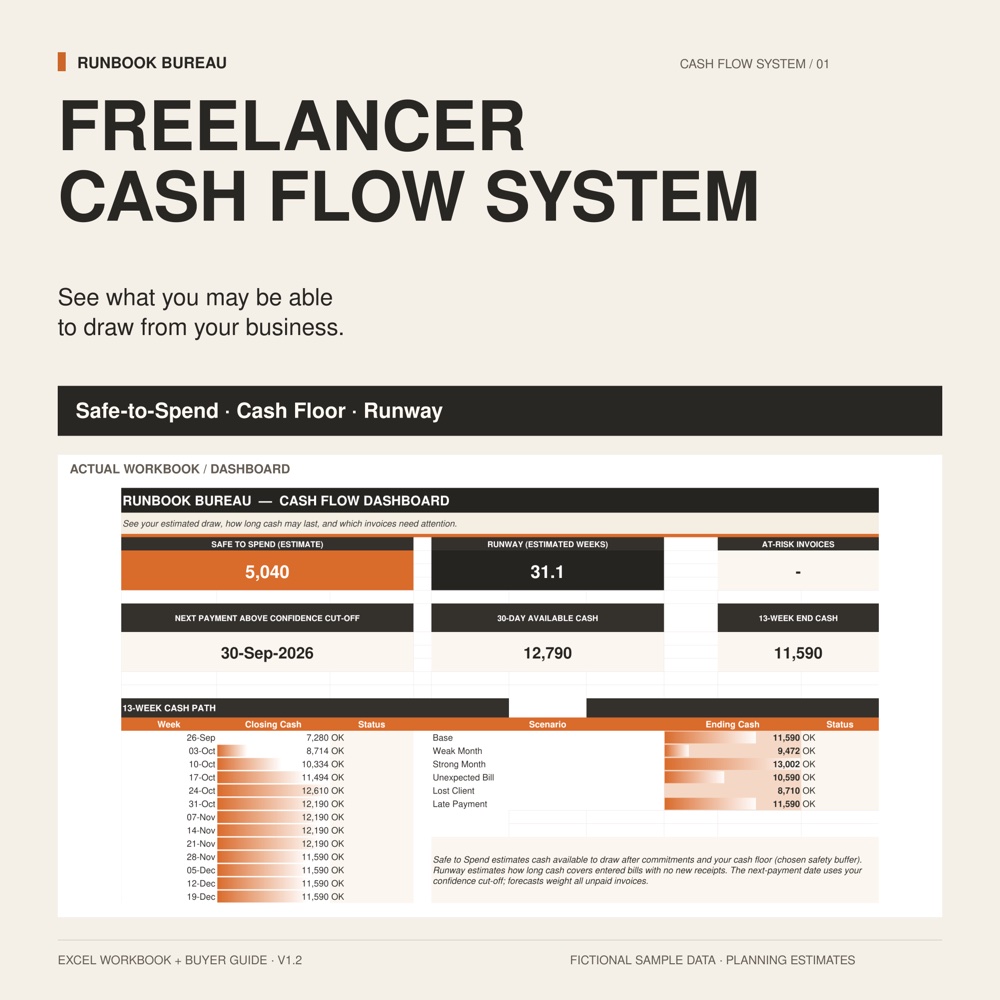
The existing product overview introduces the cash-planning workflow, from invoice timing and upcoming bills to a cash floor, Safe-to-Spend estimate and runway. Figures shown are fictional examples.
WHAT IT HELPS YOU DO
Record unpaid invoice balances, partial receipts and expected payment timing, with probability overrides for your planning assumptions.
Add dated bills and planned outgoings alongside your minimum cash floor and tax-reserve assumption. Review the 13-week forecast and rolling 12-month outlook.
Use the Safe-to-Spend estimate and lowest weekly cash buffer to review a possible draw. Runway estimates how long cash above the floor covers entered outgoings with no new receipts.
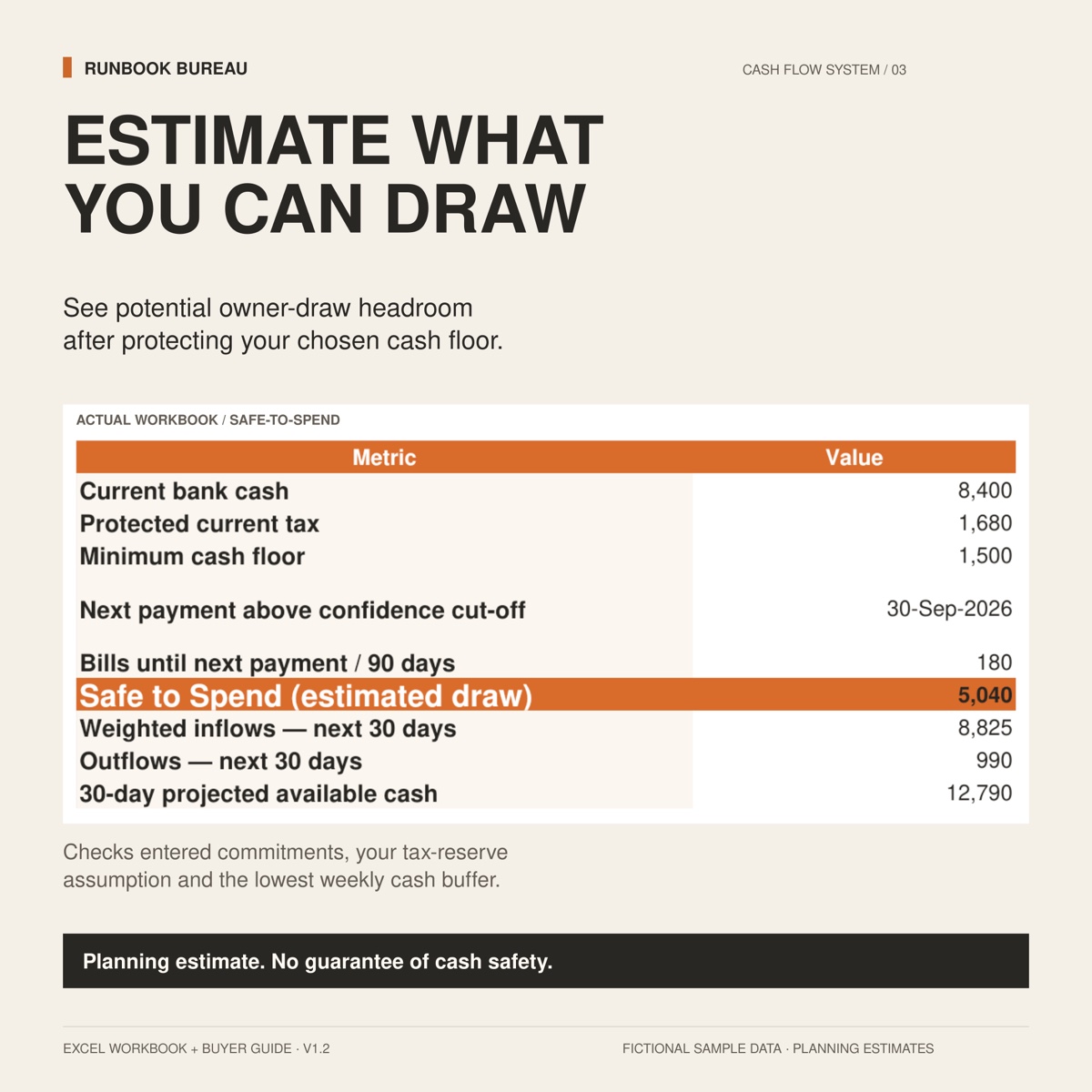
The Safe-to-Spend view brings current bank cash, a tax-reserve assumption, the minimum cash floor and upcoming bills into an estimated owner draw. It also shows expected inflows and outflows. The workbook checks entered commitments and the lowest weekly cash buffer.
Open image to view the workbook details. On a phone, zoom after opening.
INSIDE THE FILES
The Excel workbook includes Start Here guidance, client and invoice records, bills, cash forecasts, a dashboard, Safe-to-Spend and runway views, and a Scenario Lab for 13-week ending cash. Fictional examples are included to help explain the inputs.
Freelancers, consultants and independent service businesses with uneven client payments or project-based income.
A .xlsx workbook and .txt buyer guide, designed for desktop Microsoft Excel. Excel is not included. No macros, bank connection or subscription is required. Google Sheets and mobile compatibility are not promised.
Planning estimates only, not financial, tax or accounting advice. The tax reserve is an assumption, not a calculation of tax due. Forecasts and Safe-to-Spend do not guarantee receipt of payment or cash safety. This is not accounting software.
A SIMPLE WORKING ROUTINE
If you are also reviewing what your time needs to earn, start with a rate estimate. Explore the Free Freelance Rate Quick Calculator →
RELATED SYSTEMS
Know which client projects are actually profitable before margin disappears.
Explore the system View on Etsy ↗Digital files. Software is not included.
Know whether new work fits before you overbook your week.
Explore the system View on Etsy ↗Digital files. Software is not included.